Right to Work in the UK
What is a Right to Work in the UK Check?
A Right to Work in the UK Check verifies whether an individual has the legal right to work in the United Kingdom. This check is essential for employers to comply with UK immigration laws and avoid the significant penalties associated with illegal employment. By confirming an individual's eligibility, the check ensures that companies are hiring individuals who are legally permitted to work, safeguarding the company from potential legal risks.
Companies conduct Right to Work checks to ensure full compliance with immigration regulations, which is not just a legal obligation but also a critical element of operational integrity. These checks provide a "statutory excuse," protecting employers from penalties if a worker is later found to be employed illegally, provided the necessary checks were performed. This legal protection is vital in avoiding fines that could be as high as £20,000 per illegal worker and, in severe cases, preventing imprisonment of responsible personnel.
Conducting these checks also helps maintain the company’s reputation as a responsible and law abiding employer. Employing individuals without the right to work can severely damage a company’s public image, leading to loss of trust among clients, customers, and partners. Furthermore, by verifying the authenticity of documentation, businesses reduce the risk of fraud and identity theft, ensuring that only those who are legally entitled to work are employed.
Right to Work checks also contribute to the overall integrity of the workforce, fostering a culture of transparency and fairness within the organisation. This practice protects the welfare of all employees by preventing the exploitation of vulnerable individuals who may otherwise be employed under illegal or unfair conditions.
Ultimately, these checks are crucial in protecting the company’s operations, reputation, and legal standing, ensuring that the business can continue to operate smoothly without the risk of legal disruptions or workforce instability.
Check Coverage
UK
Why Use Access Screening for the Check?
- Flexible Document Verification Options: Depending on the candidate's situation, our solution offers three pathways:
- UK or Irish Passport Holders: Candidates can upload their passport and submit a video recording for digital identity verification.
- Candidates with a Share Code: Candidates enter their share code and answer additional questions if student status is applicable. Access Screening automatically verifies it with the Home Office and retrieves the verification report, ready for you to review.
- Candidates without a UK/Irish Passport or Share Code: The system supports the upload of right to work documents based on nationality, with optional MRZ checks for added security
- Simplifies the process of verifying a candidate’s right to work in the UK
- Ensures compliance with immigration laws and mitigates the risk of legal penalties
- Facilitates quick submission and verification of necessary documents
- Automates document management to assist with data retention compliance
- Candidates with a share code are automatically monitored with scheduled rechecks, so you're never caught out by an expiring right to work
- Check can be added to your existing workflows
- Allows you to run all your checks from one place in Access Screening
How it Works
Results
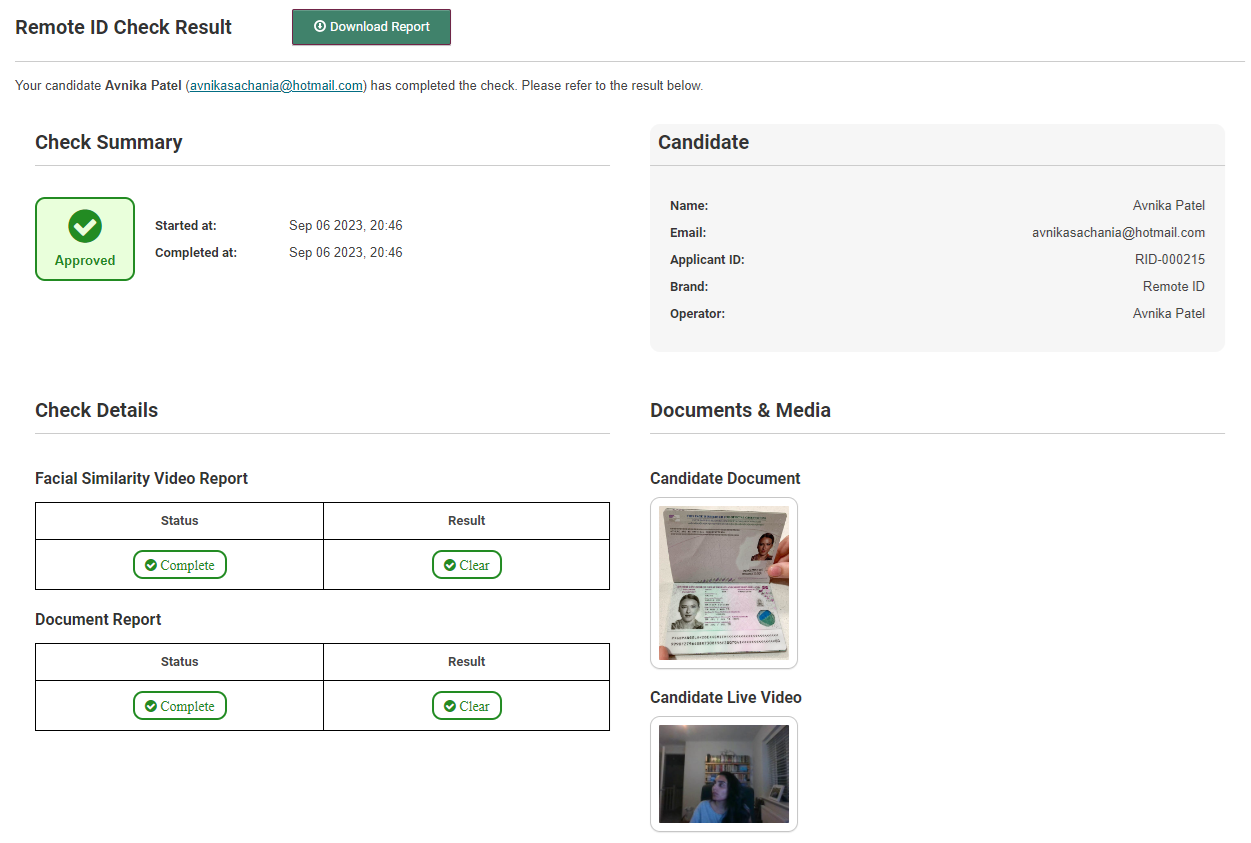
Results for I have a UK or Irish Passport
An Approved result means the candidate can be considered verified
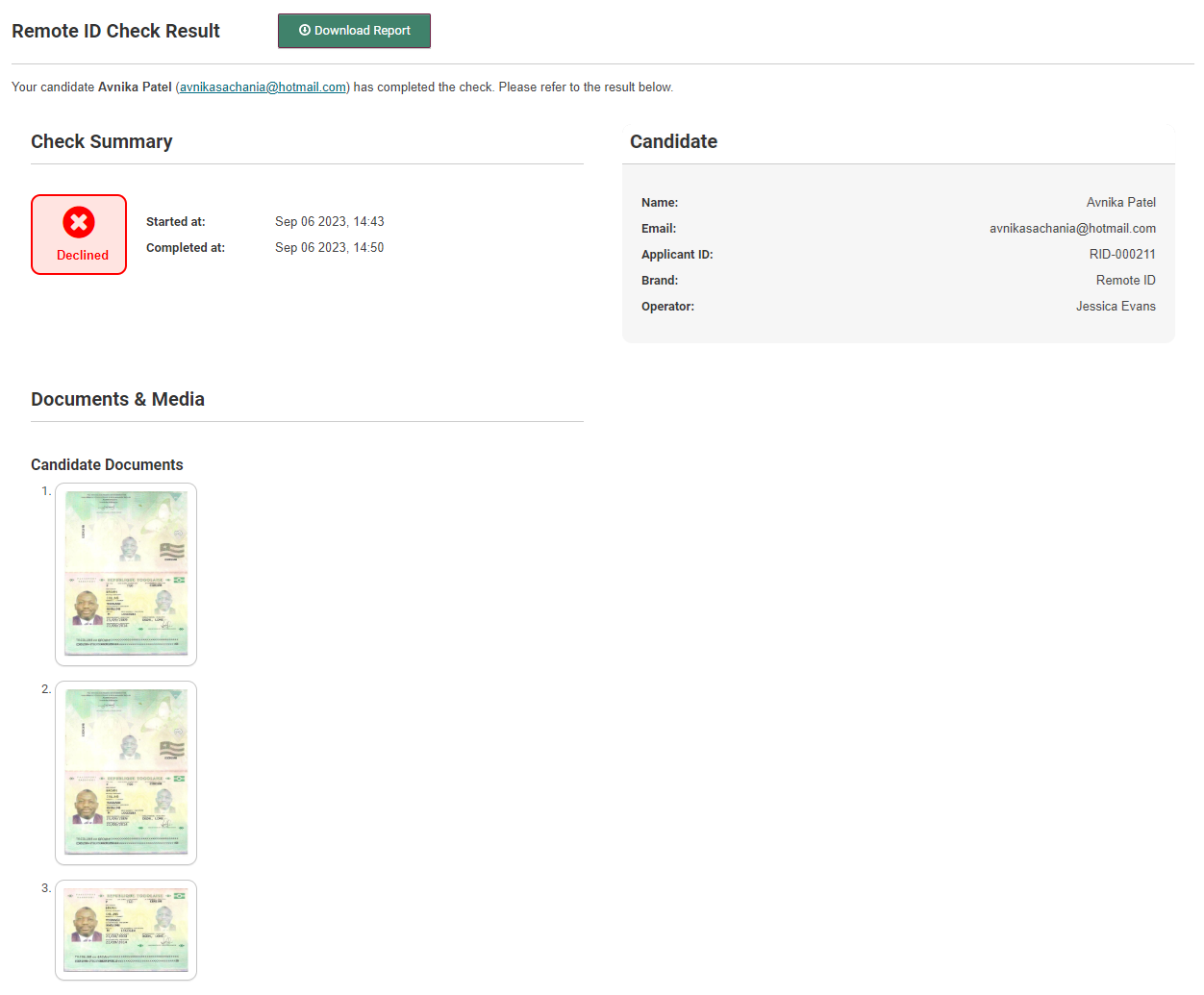
A Declined Result means the candidate has failed the check (i.e. they cannot be considered verified)
Results for I have a Sharecode
When a candidate enters their share code in the Third Party Portal, Access Screening automatically verifies it with the Home Office. The check moves to In Progress and updates to Results Recorded once verification comes back. The PDF report is available to download directly from the check details page.

If the Home Office returns a 'Details do not match our records', this is displayed clearly on the results page with guidance on next steps.
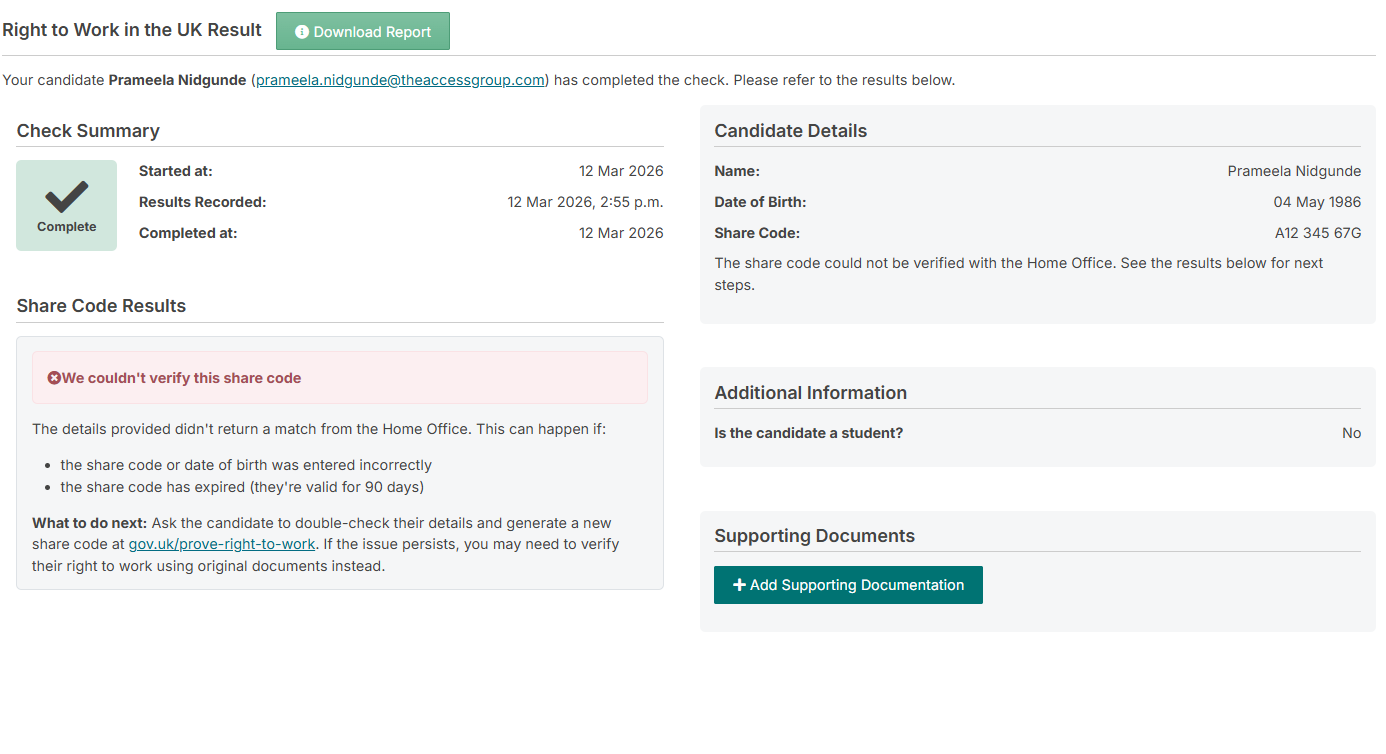
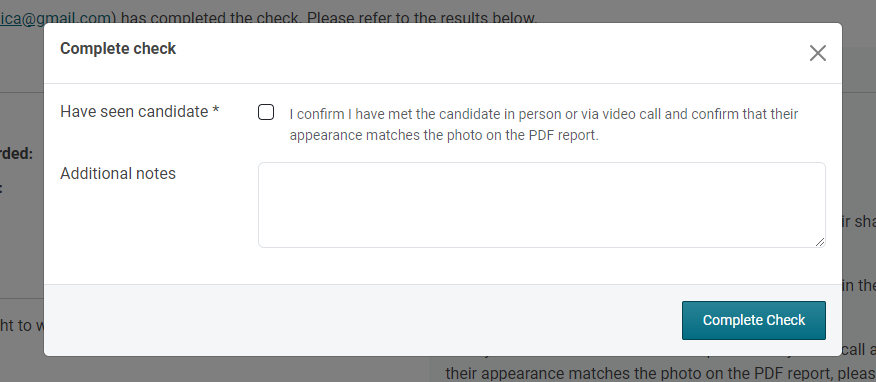
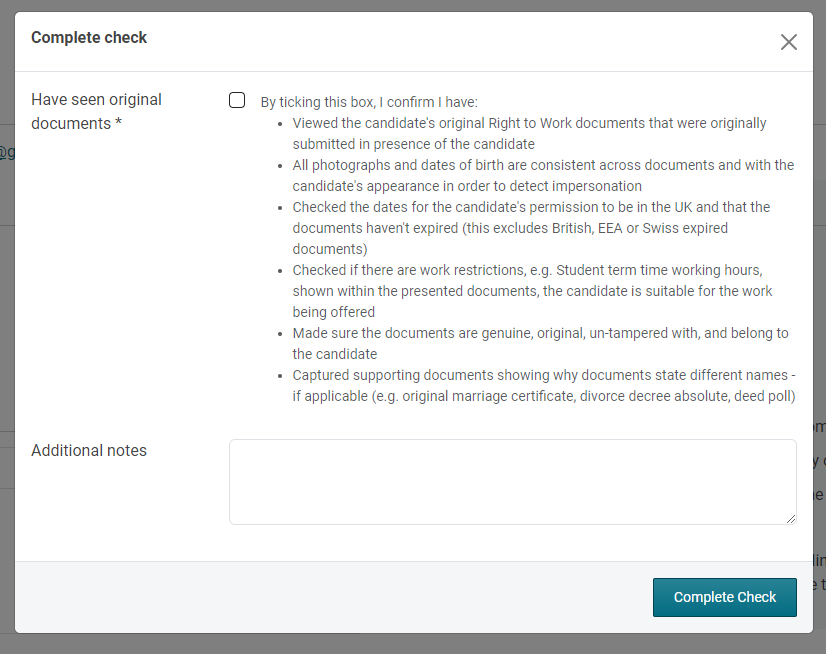
To complete the check, operators will need to confirm they’ve seen the candidate.
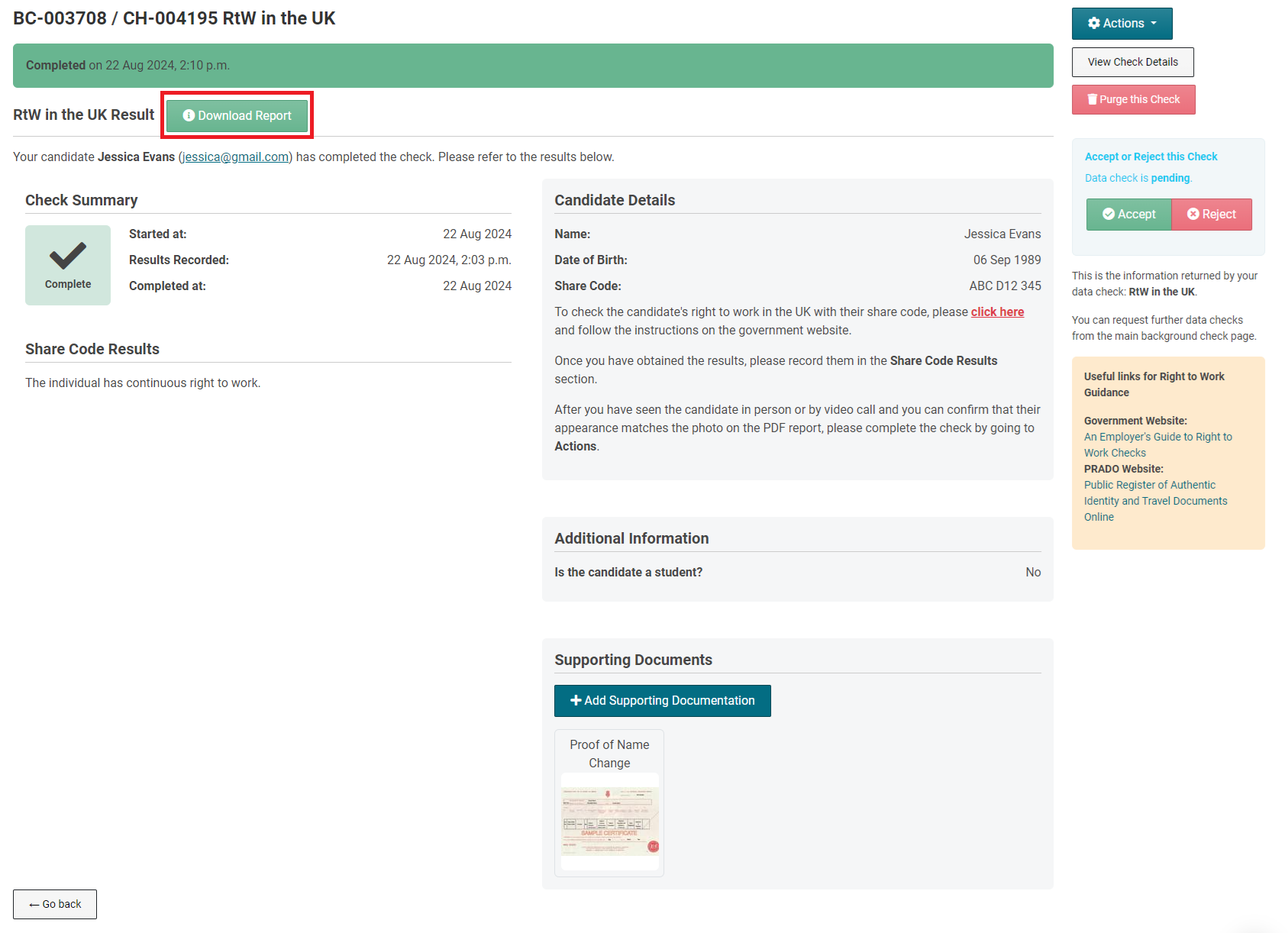
Results for I do not have a British/Irish Passport or a Sharecode
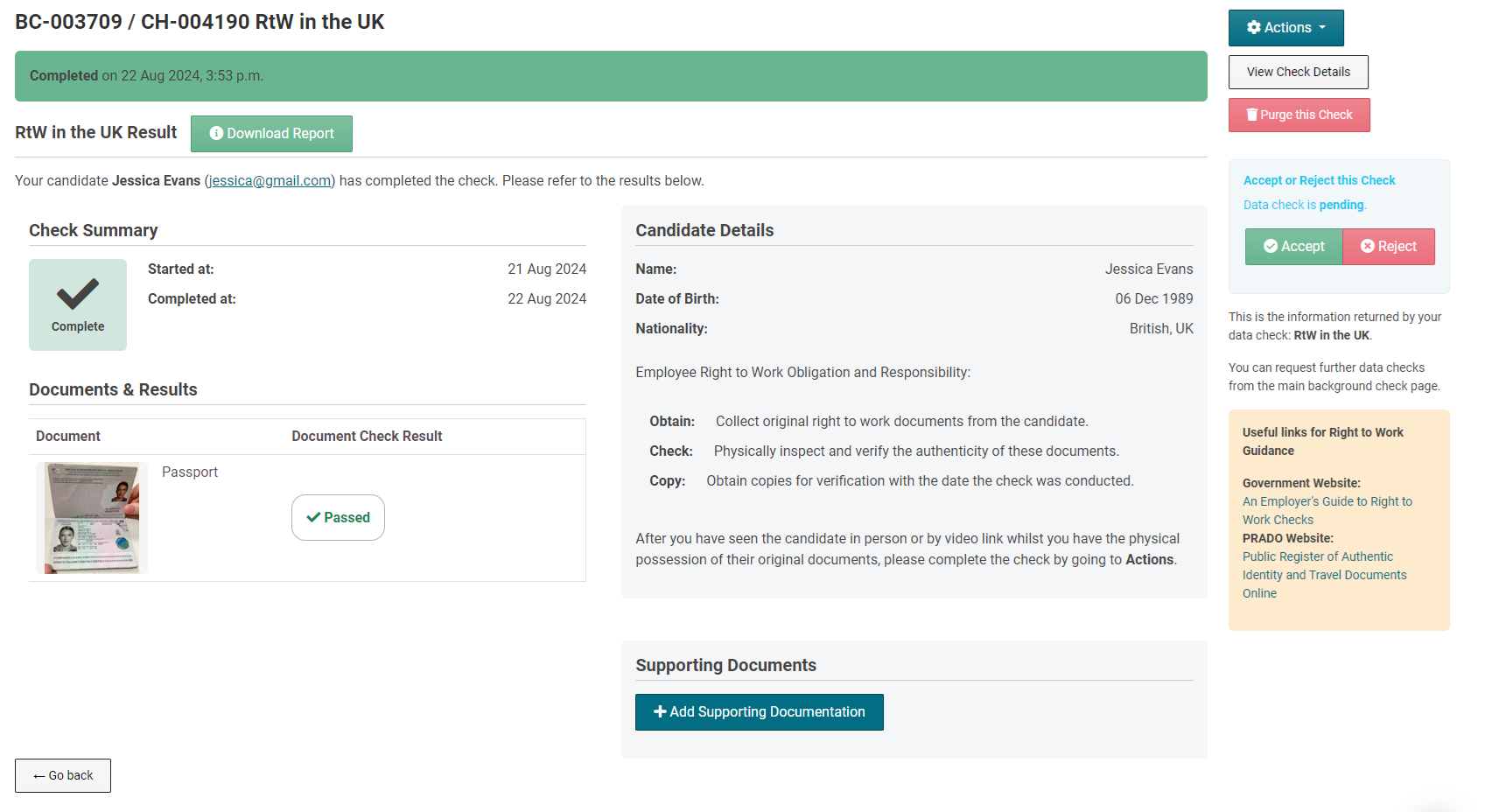
Operators will need follow the instructions in the candidate details section, ensuring the "Obtain, Check, and Copy" steps are followed for the right to work check.
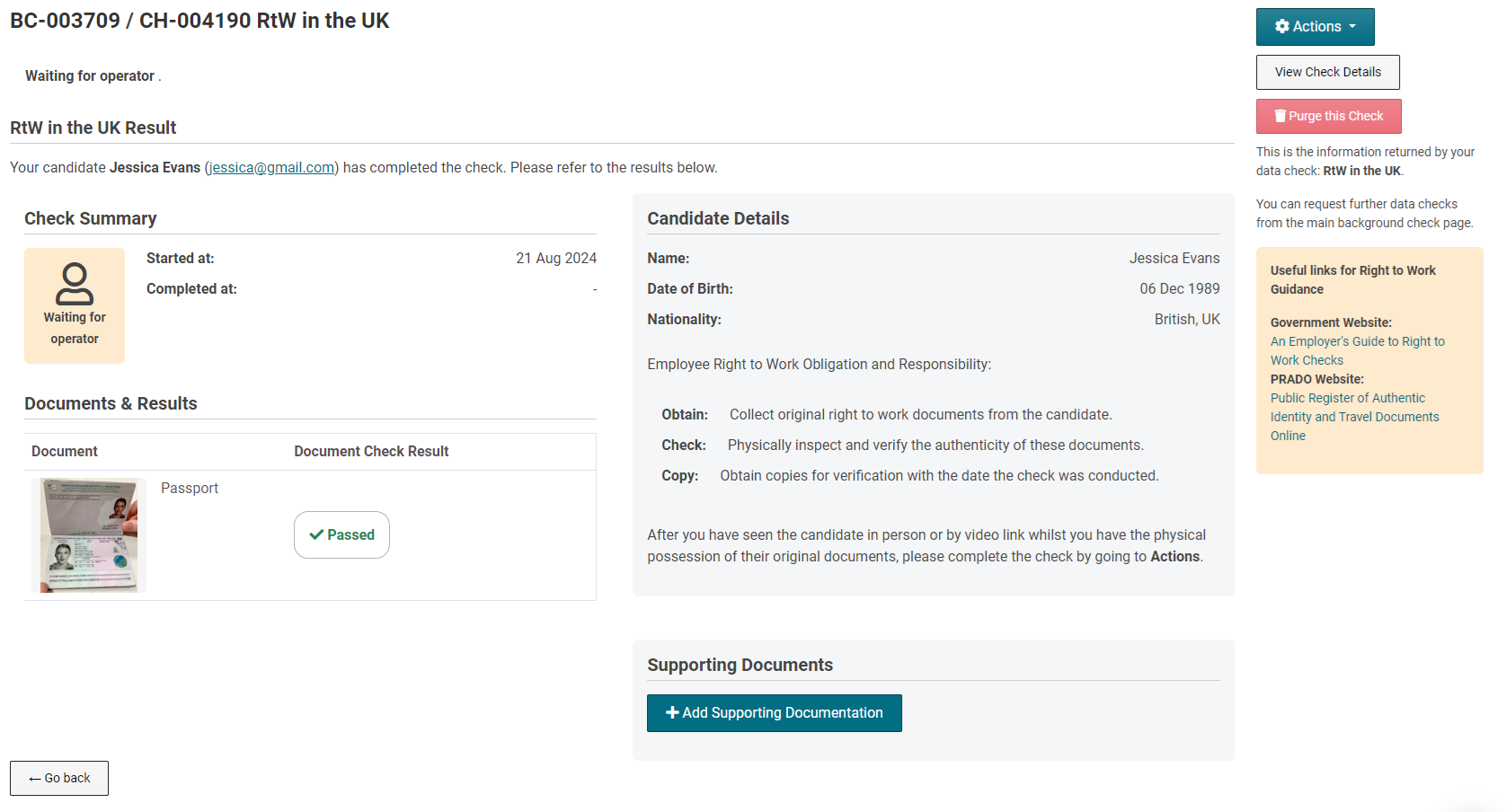
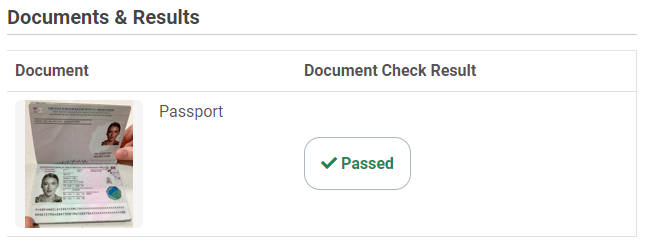
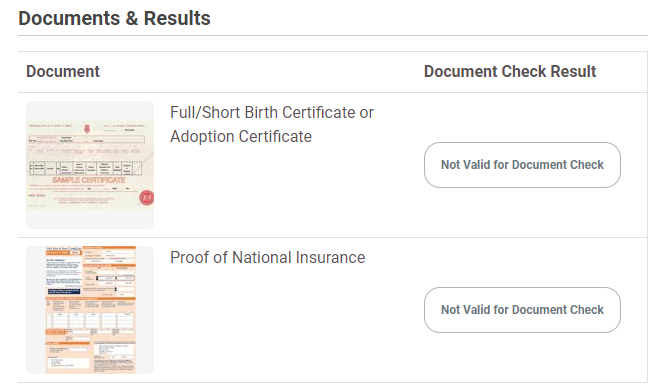
If document checking is enabled, the results will be displayed next to the document under 'Document Check Result'.
Passed - the document authenticity has passed verification
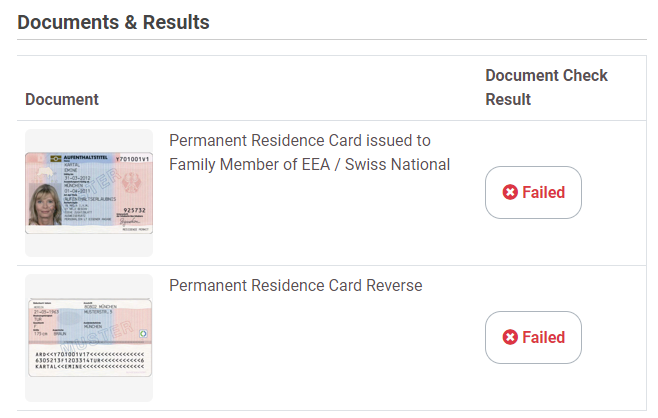
Failed - the check has been unable to successfully
Not Valid for document checking - the document does not have a MRZ code and therefore cannot be scanned for document checking.
To complete the check, operators will need to confirm they’ve seen the candidate/original documentation.
Automated Share Code Rechecks
For candidates who have completed a Share Code check, you can enable automatic rechecking to monitor their Right to Work status on an ongoing basis.
If the candidate's right to work has an expiry date within 6 months, the recheck is scheduled for 14 days before expiry. Otherwise, rechecks happen every 6 months.
When a recheck is due, the candidate is automatically emailed and asked to provide a new share code. They complete this and the system verifies it with the Home Office. The next recheck is then automatically scheduled based on the new results.
